

 5c6cf08a8c
* fix(binary): detect multi-arch ingress-nginx

Add v1.9.6 ARM64, ARMv7, and s390x fixtures from the published controller image and match their version marker against the nearby Go build version.

Assisted-by: OpenAI Codex
Signed-off-by: Shurong Cao <170531907+CAOShurong@users.noreply.github.com>

* fix(binary): match ingress-nginx release marker on all arches

The release is injected with `-ldflags -X`, so it lands in its own aligned,
NUL-padded data symbol. Only that padding is portable -- the surrounding bytes
are an arch-specific float constant pool, which is why the existing matchers all
anchor on incidental junk like `$a` and `S=v<y5` and only ever worked on amd64.

Matching `v<version>` followed by two NULs finds exactly one hit in every v1.9.6
binary (amd64, arm, arm64, s390x) and in all nine amd64 releases already under
test. Two NULs matter -- with one, s390x matches a vendored `v1.19.0` earlier in
the file and reports the wrong version.

This also drops the ~8KB wildcard window the marker previously needed, so the new
fixtures are ordinary 369 byte snippets instead of 8.4KB ones.

Two things in the fixture tooling had to move for that to work:

- `config.yaml` pinned the multi-arch *index* digest for all four platforms, but
  extraction runs `docker create <ref>` with no `--platform`, so every entry
  resolved to whichever image was pulled last. `make download` failed outright on
  `linux/arm/v7`, since the registry labels that platform `armv7` and docker
  normalizes it to `arm`. Now pinned per-platform, matching the redis entry.

- `write-snippet` only recognized EM_X86_64 and EM_AARCH64, so anything else
  landed in a `linux-unknown-<hex>` directory and had to be placed by hand.

Verified against the real binaries with `-must-use-original-binaries`.

Signed-off-by: Alex Goodman <wagoodman@users.noreply.github.com>

* fix(binary): put non-amd64 snippets where the tests look for them

`write-snippet` used to fall back to `unknown-<hex>` for any ELF machine it
didn't recognize, so three snippets were sitting in directories nothing reads:

    helm/3.12.0/linux-unknown-454d5f53333930      (hex of "EM_S390")
    helm/4.1.4/linux-unknown-454d5f53333930
    redis-server/7.2.5/linux-unknown-454d5f333836 (hex of "EM_386")

The test table asks for `linux-s390x` and `linux-386`, so those three cases were
quietly falling through to downloading the full binaries instead. Renamed to
match, and taught the tool about EM_386 and EM_RISCV so it stops producing dead
directories (there is an existing `linux-riscv64` snippet it also couldn't have
written).

Signed-off-by: Alex Goodman <wagoodman@users.noreply.github.com>

---------

Signed-off-by: Shurong Cao <170531907+CAOShurong@users.noreply.github.com>
Signed-off-by: Alex Goodman <wagoodman@users.noreply.github.com>
Co-authored-by: Shurong Cao <170531907+CAOShurong@users.noreply.github.com>
Co-authored-by: Alex Goodman <wagoodman@users.noreply.github.com>

Syft
A CLI tool and Go library for generating a Software Bill of Materials (SBOM) from container images and filesystems. Exceptional for vulnerability detection when used with a scanner like Grype.






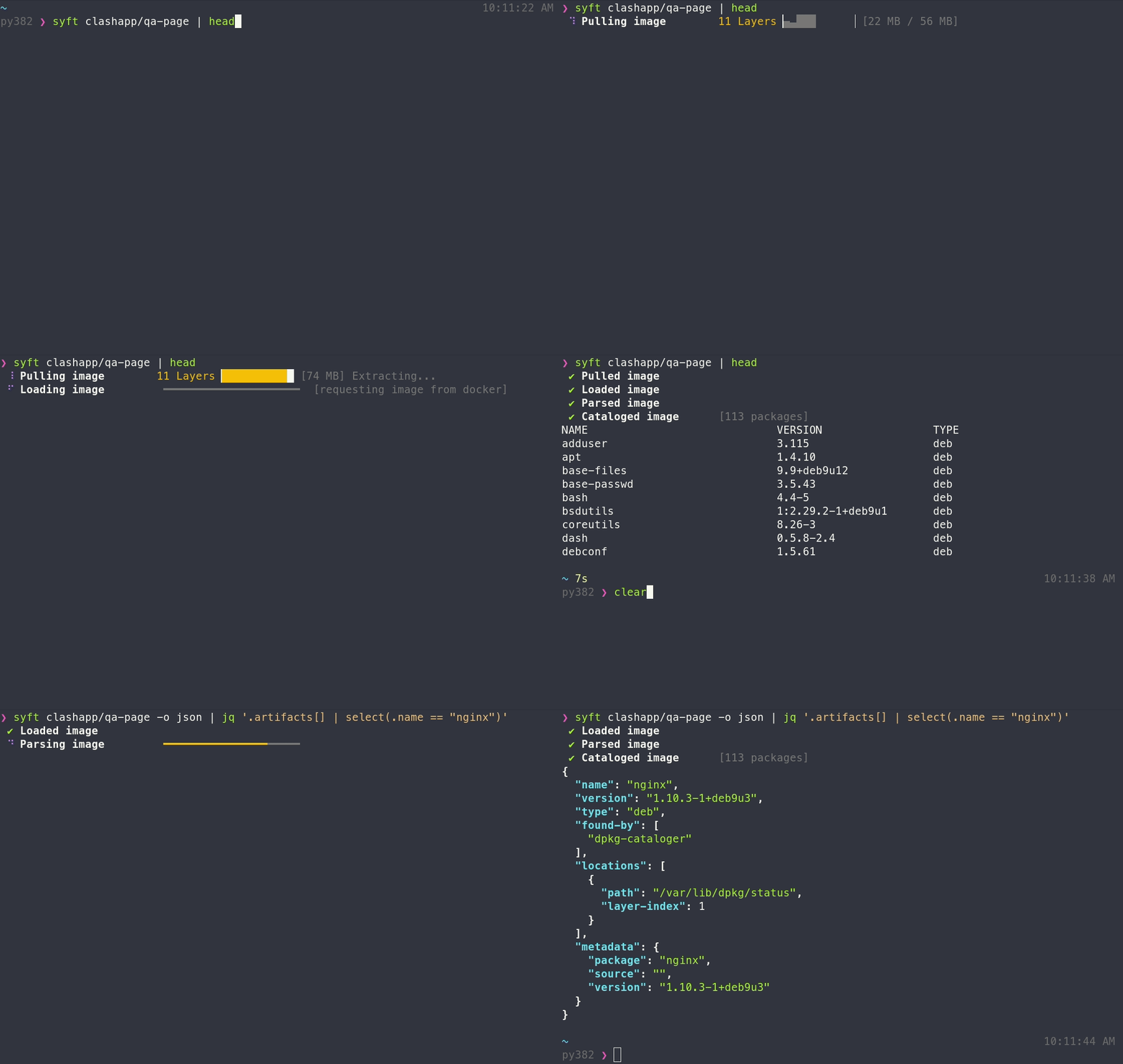
Features
- Generates SBOMs for container images, filesystems, archives (see the docs for a full list of supported scan targets)
- Supports dozens of packaging ecosystems (e.g. Alpine (apk), Debian (dpkg), RPM, Go, Python, Java, JavaScript, Ruby, Rust, PHP, .NET, and many more)
- Supports OCI, Docker, Singularity, and more image formats
- Works seamlessly with Grype for vulnerability scanning
- Multiple output formats (CycloneDX, SPDX, Syft JSON, and more) including the ability to convert between SBOM formats
- Create signed SBOM attestations using the in-toto specification
Tip
New to Syft? Check out the Getting Started guide for a walkthrough!
Installation
The quickest way to get up and going:
curl -sSfL https://get.anchore.io/syft | sudo sh -s -- -b /usr/local/bin
Tip
See Installation docs for more ways to get Syft, including Homebrew, Docker, Scoop, Chocolatey, Nix, and more!
The basics
See the packages within a container image or directory:
# container image
syft alpine:latest

# directory
syft ./my-project
To get an SBOM, specify one or more output formats:
# SBOM to stdout
syft <image> -o cyclonedx-json

# Multiple SBOMs to files
syft <image> -o spdx-json=./spdx.json -o cyclonedx-json=./cdx.json
Tip
Check out the Getting Started guide to explore all of the capabilities and features.
Want to know all of the ins-and-outs of Syft? Check out the CLI docs, configuration docs, and JSON schema.
Contributing
We encourage users to help make these tools better by submitting issues when you find a bug or want a new feature. Check out our contributing overview and developer-specific documentation if you are interested in providing code contributions.
Syft development is sponsored by Anchore, and is released under the Apache-2.0 License.
The Syft logo by Anchore is licensed under CC BY 4.0


For commercial support options with Syft or Grype, please contact Anchore.
Come talk to us!
The Syft Team holds regular community meetings online. All are welcome to join to bring topics for discussion.
- Check the calendar for the next meeting date.
- Add items to the agenda (join this group for write access to the agenda)
- See you there!