
 MetalandAlex Goodman
b0a8de7bf6
MetalandAlex Goodman
b0a8de7bf6
* fix(redact): reset redaction store between command runs

cli.Command() may be invoked more than once in the same process (e.g.
when syft is embedded as a library). The clio initializer calls
internal/redact.Set on every command execution, but the redact store is
process-global and Set panics when a store already exists, so the second
invocation dies with "replace existing redaction store (probably
unintentional)".

Add redact.Reset() to clear the previous run's store and call it in the
initializer before Set. The double-Set guard in Set is kept: an
unexpected second Set within a single run still panics.

Add TestAppClioSetupConfigInitializerCanRunMultipleTimes which runs the
initializer twice; it panics with the exact reported message on the old
code and passes with the fix.

Fixes #2285

Signed-off-by: JasonMetal <935216773@qq.com>

* fix(redact): release the redact store at the end of each run

Clear the global redact store in the post-run hook instead of resetting it
before every `Set`. The double-`Set` panic keeps its meaning: a store is only
present while a run is in flight, so a second run starting mid-run still
panics rather than splitting secrets across two stores and leaking the ones
in the dropped store. Sequential runs in the same process work since the
previous run releases its store on the way out.

A run only releases the store it set, so it never clears a store owned by
someone else.

Signed-off-by: Alex Goodman <wagoodman@users.noreply.github.com>

---------

Signed-off-by: JasonMetal <935216773@qq.com>
Signed-off-by: Alex Goodman <wagoodman@users.noreply.github.com>
Co-authored-by: Alex Goodman <wagoodman@users.noreply.github.com>

Syft
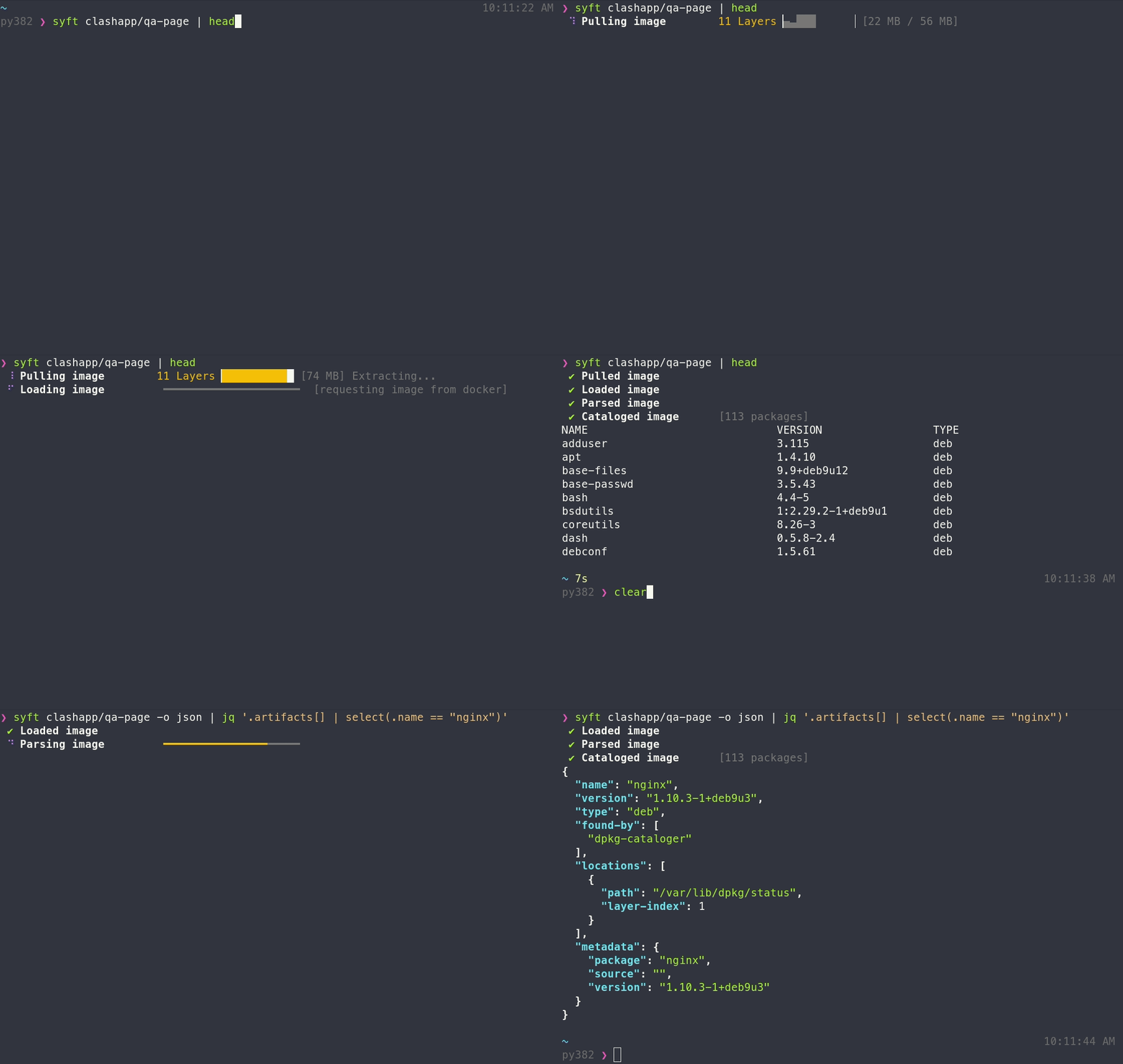
A CLI tool and Go library for generating a Software Bill of Materials (SBOM) from container images and filesystems. Exceptional for vulnerability detection when used with a scanner like Grype.






Features
- Generates SBOMs for container images, filesystems, archives (see the docs for a full list of supported scan targets)
- Supports dozens of packaging ecosystems (e.g. Alpine (apk), Debian (dpkg), RPM, Go, Python, Java, JavaScript, Ruby, Rust, PHP, .NET, and many more)
- Supports OCI, Docker, Singularity, and more image formats
- Works seamlessly with Grype for vulnerability scanning
- Multiple output formats (CycloneDX, SPDX, Syft JSON, and more) including the ability to convert between SBOM formats
- Create signed SBOM attestations using the in-toto specification
Tip
New to Syft? Check out the Getting Started guide for a walkthrough!
Installation
The quickest way to get up and going:
curl -sSfL https://get.anchore.io/syft | sudo sh -s -- -b /usr/local/bin
Tip
See Installation docs for more ways to get Syft, including Homebrew, Docker, Scoop, Chocolatey, Nix, and more!
The basics
See the packages within a container image or directory:
# container image
syft alpine:latest

# directory
syft ./my-project
To get an SBOM, specify one or more output formats:
# SBOM to stdout
syft <image> -o cyclonedx-json

# Multiple SBOMs to files
syft <image> -o spdx-json=./spdx.json -o cyclonedx-json=./cdx.json
Local containers-storage images
On Linux, syft can scan images from a local containers-storage store (e.g. built with Buildah or Podman) when asked explicitly; plain image references never look there:
syft --from containers-storage localhost/myimage:latest

# rootless stores must be read from inside the builder's user namespace
podman unshare syft --from containers-storage localhost/myimage:latest
This is included in the Linux release binaries. When building from source, add -tags containers_image_openpgp,exclude_graphdriver_btrfs.
Tip
Check out the Getting Started guide to explore all of the capabilities and features.
Want to know all of the ins-and-outs of Syft? Check out the CLI docs, configuration docs, and JSON schema.
Contributing
We encourage users to help make these tools better by submitting issues when you find a bug or want a new feature. Check out our contributing overview and developer-specific documentation if you are interested in providing code contributions.
Syft development is sponsored by Anchore, and is released under the Apache-2.0 License.
The Syft logo by Anchore is licensed under CC BY 4.0


For commercial support options with Syft or Grype, please contact Anchore.
Come talk to us!
The Syft Team holds regular community meetings online. All are welcome to join to bring topics for discussion.
- Check the calendar for the next meeting date.
- Add items to the agenda (join this group for write access to the agenda)
- See you there!