
 Alex GoodmanandKeith Zantow
ef356eccea
Alex GoodmanandKeith Zantow
ef356eccea
* fix: sign release checksums with a sigstore bundle

The cosign update rejects the legacy `--output-certificate` / `--output-signature` flags alongside the new bundle format, which broke signing during the v1.53.0 release.

- checksums are now signed into a single `checksums.txt.sigstore.json` bundle (signature, certificate, and tlog proof)
- `install.sh -v` verifies with `--bundle` for releases >= v1.53.0 and keeps the `.sig` / `.pem` flow for older releases

Signed-off-by: Alex Goodman <wagoodman@users.noreply.github.com>

* chore: smooth the cutover to sigstore bundle verification

- `install.sh -v` now hints that bundle verification needs cosign v2.5.0 or newer when verification of a bundle-signed release fails
- install tests keep exercising the legacy `.sig` / `.pem` path against v1.52.0 once the latest release is bundle-signed
- touch the install test environment Dockerfiles so the cached images rebuild with a current cosign

Signed-off-by: Alex Goodman <wagoodman@users.noreply.github.com>

* fix: only hint at the cosign minimum when cosign is actually too old

- `install.sh -v` used to print the cosign v2.5.0 note on any failed bundle verification, including a missing bundle or a bad signature. It now only prints it when cosign reports it couldn't read the bundle (`bundle does not contain cert`), which is how v2.2.4 through v2.4.1 fail on a sigstore bundle.
- `verify_sign` is now covered with a stub cosign, so the bundle path is exercised before any bundle-signed release is latest

Signed-off-by: Alex Goodman <wagoodman@users.noreply.github.com>

* fix: stop the install when a release asset is missing or fails its checksum

- `install.sh` now stops when the checksums file, the signature bundle, or the asset can't be downloaded, instead of handing an empty or error-page file to the next step
- a sha256 mismatch between the asset and the checksums file now stops the install. Before this the mismatch was logged and the asset was installed anyway, so `-v` only ever vouched for `checksums.txt`, not the binary

Signed-off-by: Alex Goodman <wagoodman@users.noreply.github.com>

* chore: pin cosign in the install test images

The install test images pulled whatever cosign was latest, unverified. They now install cosign v3.1.3 checked against its published sha256, so the install tests always run with a cosign that can verify sigstore bundles (releases >= v1.53.0 need v2.5.0 or newer).

Signed-off-by: Alex Goodman <wagoodman@users.noreply.github.com>

---------

Signed-off-by: Alex Goodman <wagoodman@users.noreply.github.com>
Co-authored-by: Keith Zantow <kzantow@gmail.com>

Syft
A CLI tool and Go library for generating a Software Bill of Materials (SBOM) from container images and filesystems. Exceptional for vulnerability detection when used with a scanner like Grype.






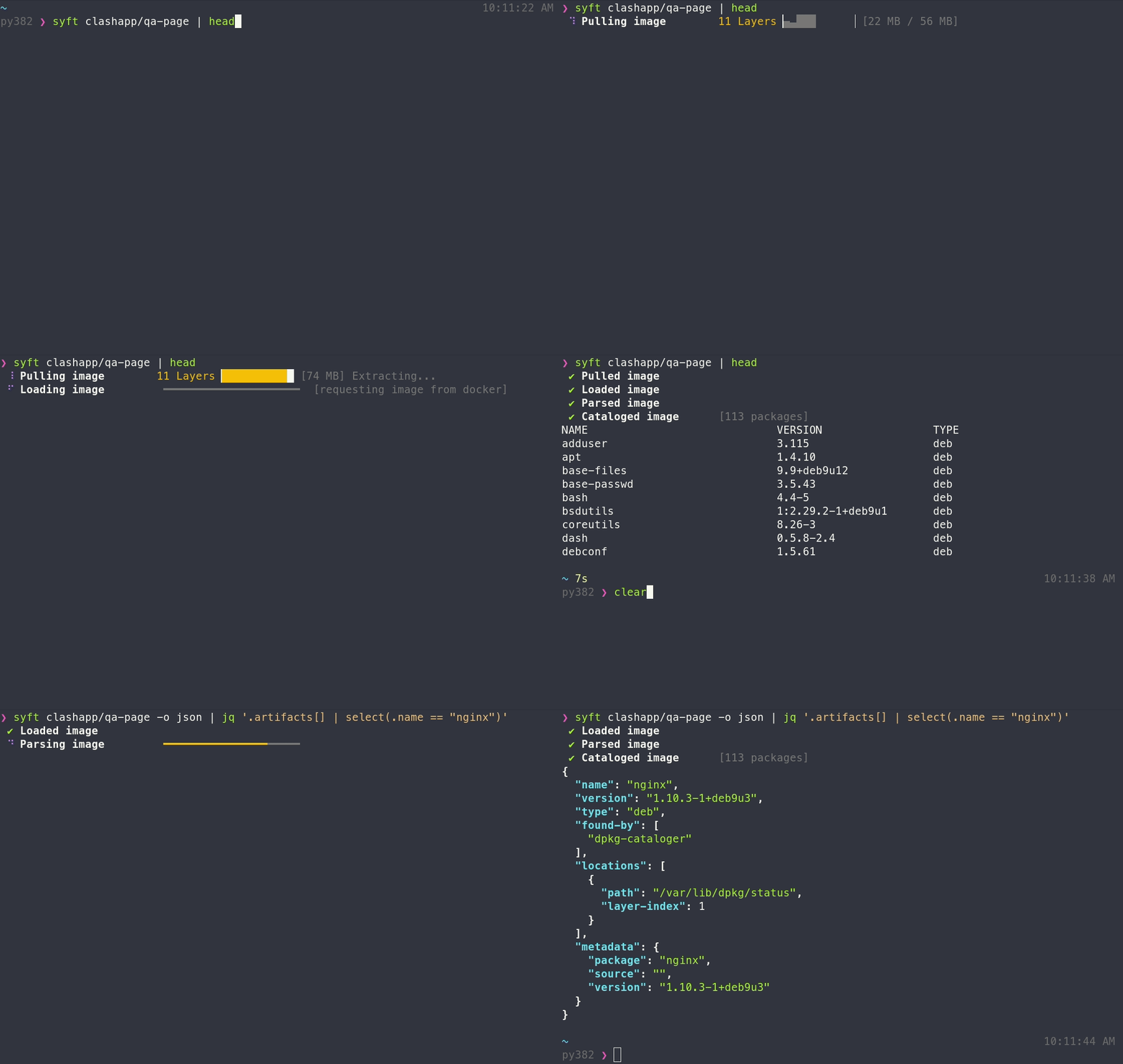
Features
- Generates SBOMs for container images, filesystems, archives (see the docs for a full list of supported scan targets)
- Supports dozens of packaging ecosystems (e.g. Alpine (apk), Debian (dpkg), RPM, Go, Python, Java, JavaScript, Ruby, Rust, PHP, .NET, and many more)
- Supports OCI, Docker, Singularity, and more image formats
- Works seamlessly with Grype for vulnerability scanning
- Multiple output formats (CycloneDX, SPDX, Syft JSON, and more) including the ability to convert between SBOM formats
- Create signed SBOM attestations using the in-toto specification
Tip
New to Syft? Check out the Getting Started guide for a walkthrough!
Installation
The quickest way to get up and going:
curl -sSfL https://get.anchore.io/syft | sudo sh -s -- -b /usr/local/bin
Tip
See Installation docs for more ways to get Syft, including Homebrew, Docker, Scoop, Chocolatey, Nix, and more!
The basics
See the packages within a container image or directory:
# container image
syft alpine:latest

# directory
syft ./my-project
To get an SBOM, specify one or more output formats:
# SBOM to stdout
syft <image> -o cyclonedx-json

# Multiple SBOMs to files
syft <image> -o spdx-json=./spdx.json -o cyclonedx-json=./cdx.json
Tip
Check out the Getting Started guide to explore all of the capabilities and features.
Want to know all of the ins-and-outs of Syft? Check out the CLI docs, configuration docs, and JSON schema.
Contributing
We encourage users to help make these tools better by submitting issues when you find a bug or want a new feature. Check out our contributing overview and developer-specific documentation if you are interested in providing code contributions.
Syft development is sponsored by Anchore, and is released under the Apache-2.0 License.
The Syft logo by Anchore is licensed under CC BY 4.0


For commercial support options with Syft or Grype, please contact Anchore.
Come talk to us!
The Syft Team holds regular community meetings online. All are welcome to join to bring topics for discussion.
- Check the calendar for the next meeting date.
- Add items to the agenda (join this group for write access to the agenda)
- See you there!